
Latest Version
Scratch Foundation
Games
Windows
Free
9pfgj25jl6x3
Report a Problem
More About Scratch 3
Unlocking Creative Coding with Scratch 3 Visual Programming Software
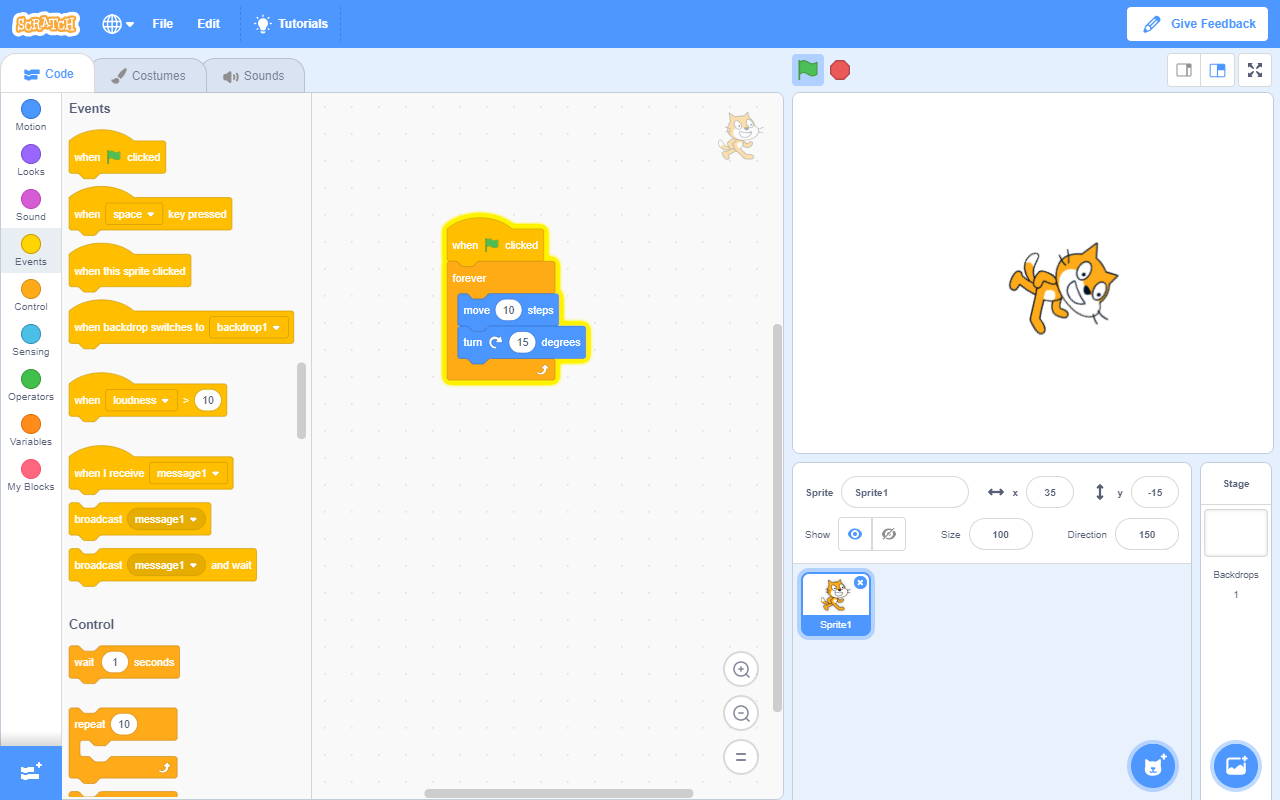
Scratch 3 visual programming software stands out as one of the most accessible and engaging gateways into the world of computer science. Designed specifically to transform passive screen time into active creation, this platform enables young learners and beginners to drag, drop, and snap together code blocks to build their own interactive stories, games, and animations. By removing the barrier of complex syntax, it allows creators to focus entirely on logic, design, and computational thinking.
The Core Philosophy: Creative, Systematic, and Collaborative
Developed originally by the Lifelong Kindergarten Group at the MIT Media Lab and currently maintained by the Scratch Foundation, this application is built on educational research. The platform is designed around three pillars of modern learning:
- Creative Thinking: Users can design unique characters, import custom sounds, and paint their own backdrops, merging art with technology.
- Systematic Reasoning: By arranging block-based logic, beginners grasp fundamental concepts like loops, variables, and conditional statements naturally.
- Collaborative Growth: The software encourages sharing ideas and learning from others, fostering essential 21st-century teamwork skills.
Key Features of Scratch 3 Visual Programming Software
This Windows application brings a robust suite of creative tools directly to your desktop. Here is what makes the experience so intuitive:
- Block-Based Interface: Color-coded command categories (such as Motion, Looks, Sound, and Control) make finding the right programming blocks effortless.
- Built-in Media Library: Access a rich collection of sprites, backdrops, and audio clips to bring projects to life instantly.
- Offline Convenience: As a dedicated Windows application, it allows users to work on their coding projects without needing a constant internet connection.
Who is Scratch 3 For?
While engineered with young learners in mind, this software is an exceptional tool for educators looking to introduce STEM concepts in the classroom. Parents seeking productive educational activities will find it highly valuable, as will adult beginners who want a visual, stress-free introduction to computational logic before transitioning to text-based programming languages.
Start Your Coding Journey
Whether you want to build a simple animated greeting card or a complex multi-level platformer game, this software provides the perfect sandbox for your imagination. To experience this educational tool firsthand, head over to the official Microsoft Store to explore or download Scratch 3 for Windows.
Rate the App
User Reviews




Popular Apps








Editor's Choice