
Latest Version
Stratospherix
Tools
Mac
$14.99
1542229474
Report a Problem
More About FileBrowser Pro
The Challenge of Fragmented Cloud and Network Storage
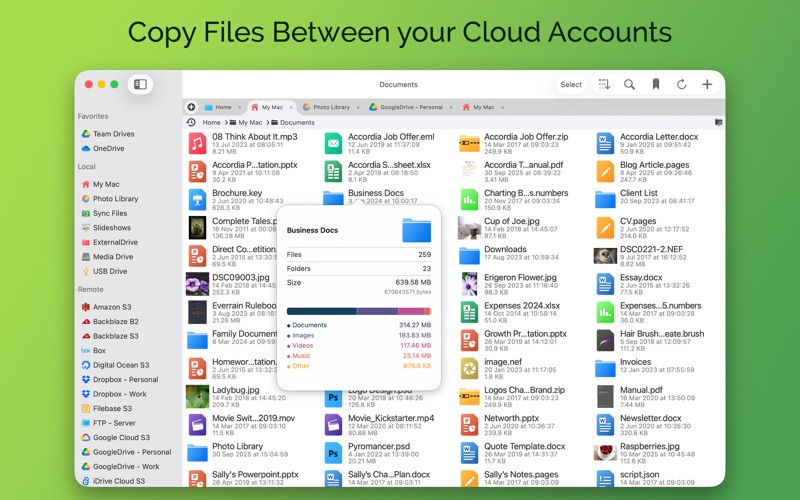
Managing files across multiple cloud services and local network drives often leads to a cluttered workspace and wasted time. Switching between different browser tabs, dedicated client apps, and local folders disrupts your workflow. FileBrowser Pro file management offers a unified solution to this digital chaos, bringing all your remote, cloud, and local storage together under one cohesive interface on your Mac.
What is FileBrowser Pro?
Developed by Stratospherix, FileBrowser Pro is a premium utility application designed specifically for macOS. It builds upon the success of its popular iOS counterpart, introducing over 400 enhancements tailored for desktop users. Instead of mounting numerous separate drives or running heavy background sync clients, this tool provides direct, streamlined access to your entire storage ecosystem from a single, lightweight application.
Key Features of FileBrowser Pro File Management
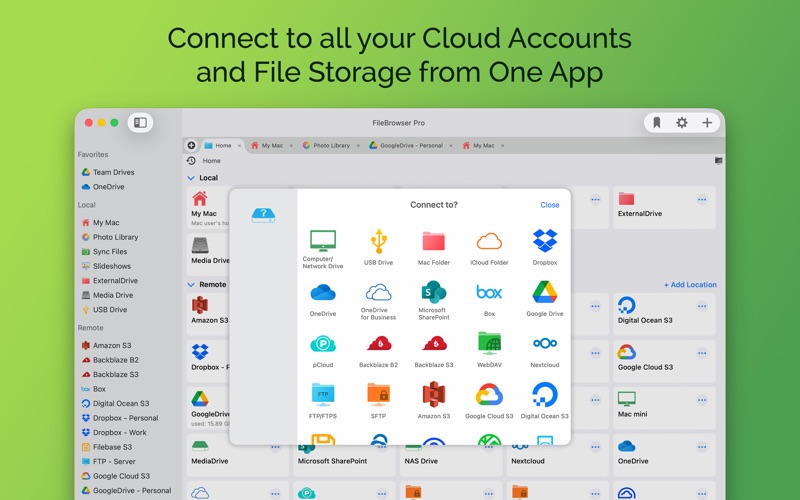
- Universal Connectivity: Connect seamlessly to a vast array of services including Google Drive, OneDrive, Dropbox, Box, pCloud, and Nextcloud, alongside enterprise storage like Microsoft SharePoint, Amazon S3, and BackBlaze B2.
- Multi-Account Support: Access multiple accounts for the same cloud provider simultaneously without the tedious process of logging out and switching profiles.
- Advanced Automation: Create custom tasks to automate repetitive sequences of copying, moving, or deleting files, complete with advanced filters and built-in actions for PDFs, ZIP files, and images.
- Network Drive Integration: Easily link with Mac, Windows, Linux, NAS drives, WebDAV, FTP, and SFTP servers.
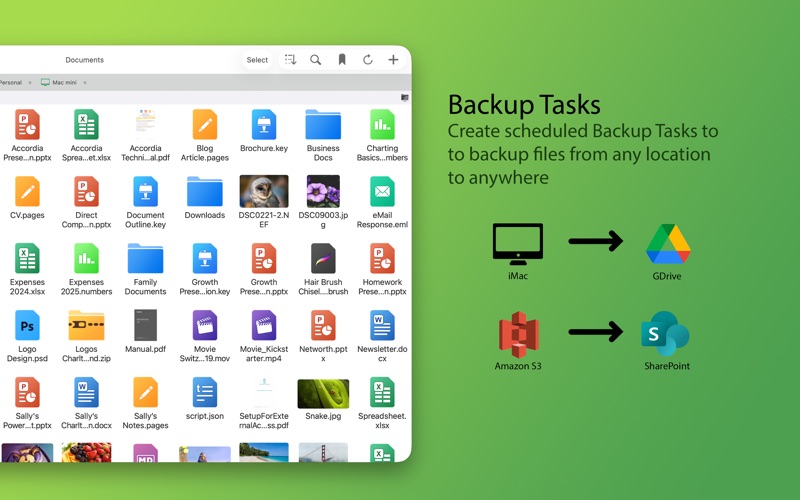
- Native macOS Experience: Features full drag-and-drop support with Finder, QuickLook integration for rapid file previews, and backup task creation.
- Strict Privacy: Unlike many alternative file managers, the developer maintains a strict policy of never collecting or gathering user data.
Who is This App For?
This utility is ideal for creative professionals, system administrators, and power users who handle large volumes of data across diverse platforms. Whether you need to sync cloud backups directly to your Mac, organize files across different server environments, or simply clean up your local storage, this tool eliminates the friction of multi-platform file handling.
Final Verdict
FileBrowser Pro delivers on its promise of simplifying complex storage setups. By consolidating your cloud and network drives into a single, secure, and highly customizable hub, it significantly optimizes your daily productivity. To explore this powerful utility further and integrate it into your macOS workflow, visit the official Mac App Store to get started.
Rate the App
User Reviews













Popular Apps










Editor's Choice