
Latest Version
Rafael Tosta
Tools
Linux
Free
com.rtosta.zapzap
Report a Problem
More About ZapZap
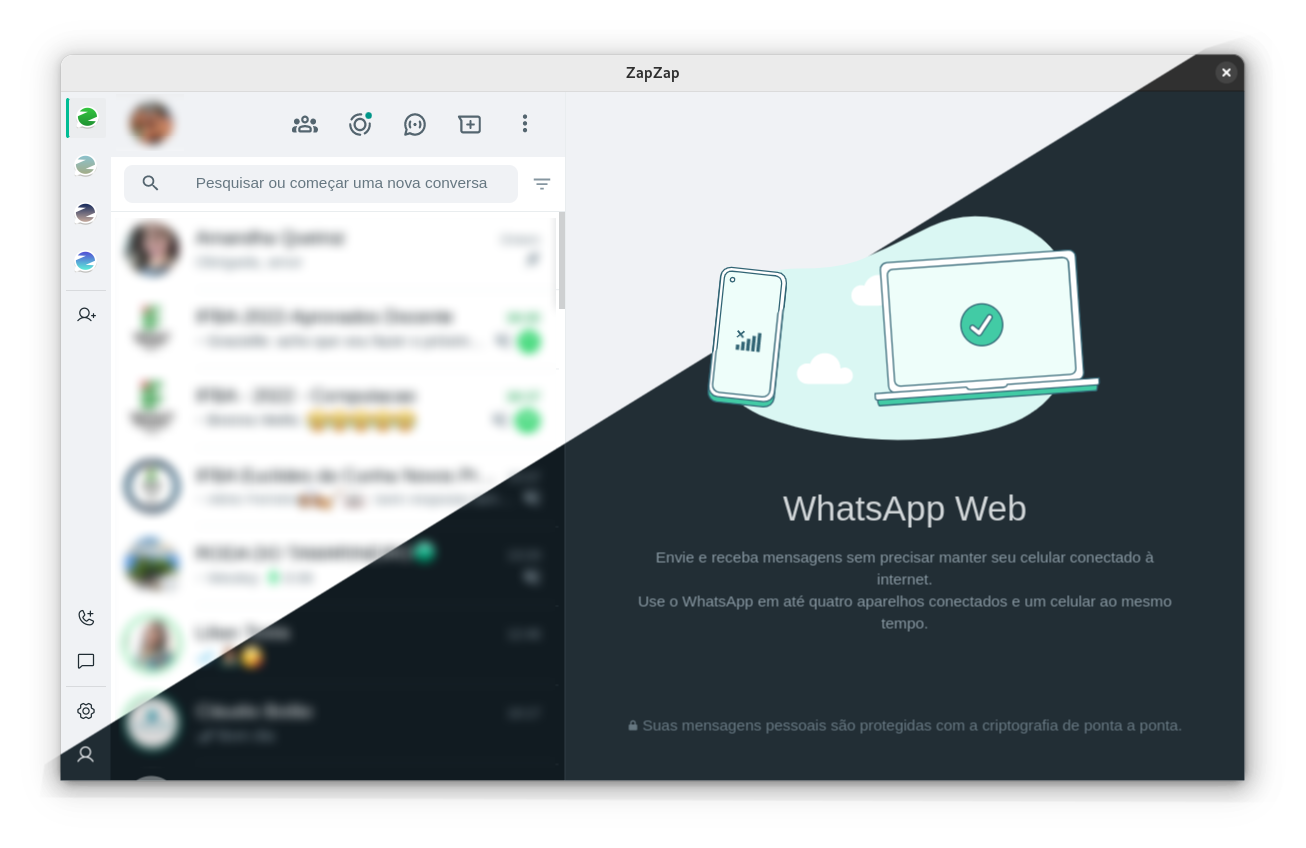
Managing daily communications on a desktop can often feel disjointed, but the ZapZap WhatsApp client offers Linux users a streamlined way to stay connected. Developed by Rafael Tosta, this open-source tool functions as a highly integrated container for the standard web messaging interface, transforming a basic browser tab into a native-feeling desktop utility designed specifically for the Linux ecosystem.
Why Use the ZapZap WhatsApp Client on Linux?
While standard web wrappers simply mirror your browser, this application bridges the gap between your chat streams and your operating system. It provides a cohesive workspace environment where you can manage conversations without keeping a heavy browser window open constantly.
Standout Features for Power Users
- Multi-Account Capabilities: Unlike standard browser setups, you can run and manage multiple accounts simultaneously within a single, organized interface.
- Seamless Background Execution: Keep your messaging active in the background. The application runs quietly in your system tray, ensuring you never miss an important notification.
- System-Based Customization: The interface adapts beautifully to your active system theme, offering a visually consistent experience across your desktop environment.
- Integrated Utility Tools: Built-in spellchecking helps maintain professional communication, while native system notifications keep you updated in real time.
A Transparent and Secure Architecture
For security-conscious Linux users, privacy is a non-negotiable priority. The ZapZap WhatsApp client introduces no modifications or manipulations to the underlying web execution. Furthermore, the entire codebase is hosted publicly on GitHub, making it fully auditable by the community. This open-source transparency ensures your data pathways remain secure and unaltered.
Who Is This Tool For?
If you are a Linux user who relies on desktop messaging for work or personal coordination, this tool is built for you. It eliminates the clutter of open browser tabs, simplifies multi-account workflows, and respects system aesthetics in a way that generic web wrappers cannot match.
How to Get Started
Ready to upgrade your desktop messaging setup? You can explore the application, review user feedback, and find installation instructions by visiting the official listing on the Flathub store page today.
Rate the App
User Reviews












Popular Apps










Editor's Choice